AI-Generated Beat Maps, the Honest Way: Build a Spec-Driven Rhythm Game in Phaser 3
“AI-generated beat maps” usually means one of two very different things. One of them is a marketing claim. The other is a genuinely useful workflow you can build today, and it looks like this: an LLM authors a small, human-readable chart spec — BPM, an offset, density, a seed — and deterministic code turns that spec into a precise list of notes timed to the music. The AI does the creative brief. The code does the math. Nothing pretends to listen to the audio.
That’s the version we’re building in this tutorial: a four-lane falling-note rhythm game in Phaser 3, where the beat map falls out of a tiny JSON object instead of hours of hand-charting.
What you’re building
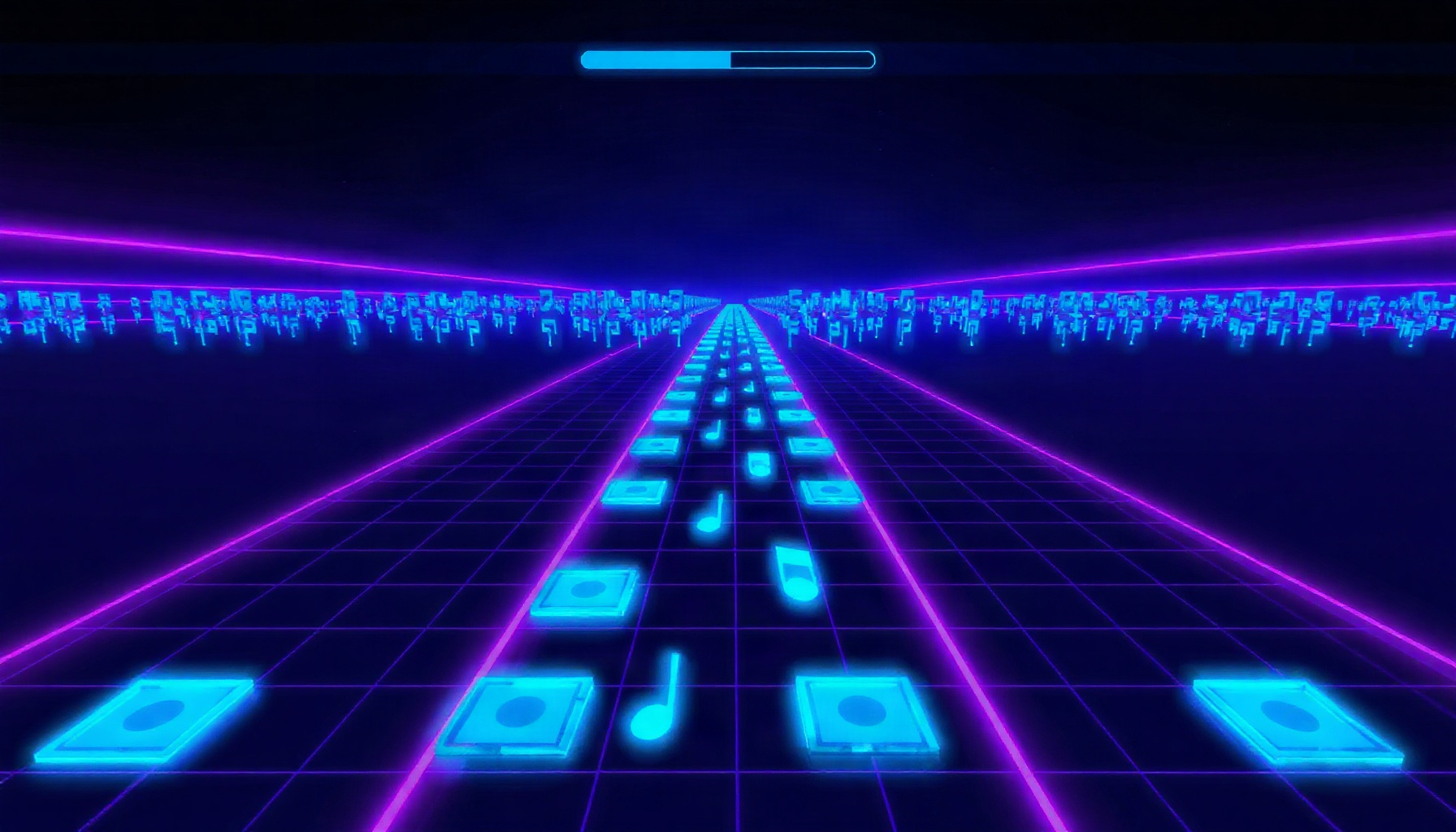
You’re building a playable four-lane rhythm game prototype where notes fall down the screen toward receptors at the bottom, and you tap a key when a note crosses its lane’s receptor. The beat map isn’t hand-drawn — it’s generated at load time from a small spec object, so changing one number in the spec reshapes the whole chart.
Here it is, playable right in the page:
Controls: Tap D F J K to hit notes in the four lanes, press SPACE to start, R to restart. On touch devices, tap a lane.
A quick honesty note before we dive in: this tutorial is based on official documentation and original code, and we did not run commercial AI tools hands-on. Everything here describes a workflow you can follow yourself — we won’t claim test results, benchmarks, or experiences with tools we haven’t used.
If you want to run the code locally as you read, the Phaser getting-started guide walks through setup — note that you’ll need a local web server, since Phaser loads its assets over HTTP.
Chart spec vs. chart generator: the honest split
The core idea is a clean division of labor: the LLM owns the creative decisions, and deterministic code owns time. An LLM is good at reading a song description and saying “this chorus is busy, use high density and all four lanes; the intro is sparse.” It’s bad at producing 400 individually timestamped notes that actually line up with the audio — it can’t listen. So we never ask it to. Instead, it authors (and can help you validate) a compact spec, and a generator function expands that spec into exact millisecond timestamps.
Here’s what that split looks like as responsibilities:
- LLM-owned (the spec): BPM, offset, density, lane spread, seed, difficulty feel. It can also review and sanity-check the generator code — reading logic is something LLMs do well.
- Deterministically generated (the chart): every note’s lane and exact
timeMs, derived by formula from the spec. Same spec plus same seed always produces the identical chart.
The spec itself is small enough to read in one glance:
{
  "songName": "Neon Circuit",
  "bpm": 128,
  "offsetMs": 400,
  "totalBeats": 64,
  "density": 0.65,
  "laneCooldownBeats": 1,
  "seed": 20261,
  "lanes": 4
}
Seven numbers describe the entire chart’s character. Change density from 0.65 to 0.9 and the song gets busier. Change the seed and you get a different (but reproducible) arrangement. This is the “AI-generated” part done honestly: the LLM proposes the spec, the generator guarantees the timing.
One song clock, sampled from the audio
There is exactly one source of truth for timing in a rhythm game: the audio playback position. Notes, receptors, judgements, misses — everything compares against “where is the song right now,” and that answer must come from the audio system itself, not from counting frames.
Why not just add up the time between frames? Because frame timing is unreliable. Browsers throttle or pause requestAnimationFrame callbacks in background tabs (MDN), so if a player switches tabs mid-song, your accumulated delta silently falls behind the music — and never catches up. Even a single dropped frame nudges the sum off. Once you’re 50 ms behind, every “perfect” judgement is a lie.
The Web Audio API gives us a proper clock instead. An AudioContext exposes currentTime, the elapsed time on the audio timeline in seconds (MDN). It advances in small render quanta (roughly 2.9 ms at 44.1 kHz), it’s independent of the system clock that Date.now() uses, and it freezes while the context is suspended — which is exactly the behavior you want. Phaser’s audio system is built on top of Web Audio (concepts docs), so a context is already there: reach it through the sound manager, or create your own AudioContext for a synthesized click track as the demo above does.
The song-clock function is a few lines, called every frame:
// Called once per frame. Returns the song position in milliseconds,
// measured on the audio timeline — not accumulated from frame deltas.
getSongMs() {
  // this.songStartCtxTime was recorded (from this.sound.context.currentTime
  // or your own AudioContext's currentTime) the moment playback started.
  const elapsedSec = this.sound.context.currentTime - this.songStartCtxTime;
  return elapsedSec * 1000;
}
Every other system in the game — falling notes, judgement, miss detection — asks this one function where the song is. One clock, no drift.
The deterministic generator
Now we turn the spec into notes, and the whole trick fits in one formula:
timeMs = offsetMs + beatIndex * (60000 / bpm)60000 / bpm is the duration of one beat in milliseconds (at 128 BPM that’s 468.75 ms). offsetMs shifts the chart so beat zero lands where the music actually starts, not where the file starts. Subdivisions are just fractional beat indices — beat 3.5 is the eighth-note between beats 3 and 4. No magic, no listening, pure arithmetic.
The creative texture comes from a seeded PRNG. A normal Math.random() gives different results every run; a seeded generator like mulberry32 produces the same sequence for the same seed, which is what makes your chart reproducible — and reviewable. Two more spec-driven rules shape the feel: a density value (the probability that a given off-beat step spawns a note) and a per-lane cooldown (a lane can’t receive two notes too close together, which prevents impossible jacks).
// mulberry32: a tiny seeded PRNG — same seed, same sequence, every time.
function mulberry32(seed) {
  return function () {
    seed |= 0;
    seed = (seed + 0x6d2b79f5) | 0;
    let t = Math.imul(seed ^ (seed >>> 15), 1 | seed);
    t = (t + Math.imul(t ^ (t >>> 7), 61 | t)) ^ t;
    return ((t ^ (t >>> 14)) >>> 0) / 4294967296;
  };
}

function generateChart(spec) {
  const rand = mulberry32(spec.seed);
  const msPerBeat = 60000 / spec.bpm;
  const notes = [];
  const lastLaneTimeMs = new Array(spec.lanes).fill(-Infinity);

  for (let beatIndex = 0; beatIndex < spec.totalBeats; beatIndex += 0.5) {
    if (rand() > spec.density) continue; // this beat stays empty

    // Lanes whose cooldown has expired, then pick one at random.
    const timeMs = spec.offsetMs + beatIndex * msPerBeat;
    const available = [];
    for (let lane = 0; lane < spec.lanes; lane++) {
      if (timeMs - lastLaneTimeMs[lane] >= spec.laneCooldownBeats * msPerBeat) {
        available.push(lane);
      }
    }
    if (available.length === 0) continue;

    const lane = available[Math.floor(rand() * available.length)];
    lastLaneTimeMs[lane] = timeMs;
    notes.push({ lane, timeMs });
  }

  notes.sort((a, b) => a.timeMs - b.timeMs); // charts must be time-sorted
  return notes;
}
Feed this the spec from earlier and you get the same chart every single time — which means when the LLM (or you) tweaks density and the chart gets too hard, you can roll back to a previous seed and know you’re comparing apples to apples. This is also where an LLM earns its keep a second time: it can read this generator, spot that the cooldown check happens before the density roll, and suggest which order produces a fairer spread. Spec authoring and code validation — both things an LLM can genuinely do.
Rendering notes that fall in time, not in pixels
One way to break note sync: move notes by a per-frame pixel velocity. The moment a frame hitches, notes visibly jump out of sync with the music, and no amount of tuning fixes it, because pixels aren’t tied to the song.
The fix is to stop thinking of notes as moving at all. Every frame, you redraw each note at a position derived from time:
y = receptorY - (note.timeMs - songMs) * pixelsPerMsRead it as a sentence: “how far in the future is this note, times how many pixels one millisecond of future is worth, above the receptor.” When note.timeMs equals songMs, the note sits exactly on the receptor. A frame hitch doesn’t shift anything, because the position is computed fresh from the audio clock each frame. Scroll speed is purely presentational — pixelsPerMs changes how it looks, never when it hits.
This fits naturally into Phaser’s structure. Each scene has an update() loop where you recompute positions, and the scene’s Clock (available as this.time) offers delayedCall and a now value in milliseconds for scheduling — useful for things like feedback popups. Just remember the Clock runs on the game loop’s timeline, not the audio’s, so use it for effects, never for chart timing. For the note labels and combo counters, Phaser’s Text game object is all you need. One related gotcha: Phaser’s Clock has a timeScale property, and scaling it will speed up or slow down your game objects — but it does not stretch the audio, so leave it at 1 or your visuals and music will diverge.
Judgement windows, combo, and the miss timeout
Judging a hit means comparing two timestamps: the note’s timeMs and the current songMs. That’s the whole mechanic — no pixel overlap tests, ever. The windows are a design choice, not a standard; a sensible starting range is a Perfect window in the tens of milliseconds (we use 50 ms), wider Great and Good bands around it, and a total useful window of roughly 200 ms beyond which a press is simply too early to mean anything.
Two rules keep the judging honest. First, nearest-unresolved-note matching per lane: when you press D, compare songMs against the unresolved note in lane 0 with the smallest absolute time error, and ignore presses outside the miss window. Judging whatever note comes first in the lane’s array, regardless of how far away it is, is what lets a press score against a note three beats away. Each note carries a single resolved flag so it can only be judged once. Second, use Phaser’s Phaser.Input.Keyboard.JustDown for key presses. Holding a key fires repeated keydown events, and without JustDown you’d burn several judgements on one press.
Misses aren’t a collision at all — they’re a timeout. In the update loop, any note whose timeMs is more than the miss window in the past and still unresolved has been missed. That’s it.
const PERFECT_MS = 50;
const GREAT_MS = 110;
const GOOD_MS = 160;
const MISS_AFTER_MS = 200; // total useful window: ~200 ms

judgePress(lane, songMs, notes) {
  // Nearest unresolved note in this lane, by absolute time error.
  let target = null;
  let bestError = Infinity;
  for (const note of notes) {
    if (note.lane !== lane || note.resolved) continue;
    const error = Math.abs(note.timeMs - songMs);
    if (error <= MISS_AFTER_MS && error < bestError) {
      bestError = error;
      target = note;
    }
  }
  if (!target) return null; // press meant nothing

  target.resolved = true;
  if (bestError <= PERFECT_MS) return "PERFECT";
  if (bestError <= GREAT_MS) return "GREAT";
  if (bestError <= GOOD_MS) return "GOOD";
  return null; // inside the total window but outside all bands: ignore
}

// In update(): misses are a timeout against song time, not a pixel test.
checkMisses(songMs, notes) {
  for (const note of notes) {
    if (!note.resolved && note.timeMs < songMs - MISS_AFTER_MS) {
      note.resolved = true;
      this.registerMiss(note);
    }
  }
}
Put together with the song clock from earlier, you have a complete, honest timing pipeline: one audio clock, time-derived positions, time-based windows, timeout-based misses.
What LLM-generated charts can’t do (yet)
The generator gives you a chart that’s mathematically consistent with the BPM — but consistent isn’t the same as musical, and it’s worth being clear-eyed about the gap before you ship.
No transient alignment. Your chart lands notes on a steady grid derived from the BPM you supplied. It does not know where the actual drum hits are. If the supplied BPM is even slightly wrong, the chart desynchronizes progressively — fine at beat 10, noticeably off by beat 100. Aligning to real transients requires an analysis pass over the audio, which is a separate (and very learnable) problem.
No song-structure awareness. The spec can say “high density,” but the generator can’t tell a verse from a chorus. It doesn’t know the drop hits at 1:32 or that the bridge thins out. The LLM can encode structure if a human describes it in the spec — but nothing in this pipeline hears the song.
Mechanical feel. Grid-plus-randomness reads as mechanical next to a hand-charted map, where a human charted accents, syncopation, and call-and-response between lanes on purpose. Treat generated charts as a strong first draft, not a finished product.
The honest next step is analysis, not more prompting. Joe Sullivan’s classic writeup on beat detection using Web Audio shows the technique: filter the track into low, mid, and high bands through an OfflineAudioContext, find threshold peaks, then build a histogram of intervals between peaks to estimate BPM — a method that self-reported correct tempo estimates on 14 of 18 test tracks (78%). The web-audio-beat-detector library implements that approach over an AudioBuffer, so you can detect BPM before generating the chart instead of trusting the spec. For live visuals that genuinely react to the music, the AnalyserNode provides real-time frequency analysis while passing the audio stream through unchanged — a great first project after this one.
FAQ
Do I need an LLM running to play the game?
No — and that’s the point of the architecture. The LLM’s job is finished before the game ever runs: it authored the spec (and can review the generator code). At runtime, the game reads the JSON spec and the deterministic generator produces the chart. You could ship this game to a thousand players and none of them would need any AI tool, because the “AI contribution” is a six-line JSON file anyone can edit by hand.
Can the generator land notes on the actual drum hits?
Not with the pipeline in this tutorial, and it’s important to know why. The generator works from a BPM number and a formula — it never examines the audio, so it can’t know where real transients fall, and a wrong BPM makes the chart drift progressively out of sync. To hit actual drum hits, you’d add an analysis pass first: Sullivan’s threshold-and-histogram method (via web-audio-beat-detector) can estimate the true BPM from the audio, and a transient-detection pass could feed exact hit timestamps into the chart as anchor points.
Why does my chart drift when I switch tabs?
Because your song position was being accumulated from frame deltas, and background tabs throttle or pause requestAnimationFrame (MDN) — so while the audio kept playing, your frame counter stopped adding, and the two quietly diverged. The fix is the one from the song-clock section: stop summing deltas entirely and sample the audio playback position each frame from AudioContext.currentTime (MDN). The audio clock is the song; everything else should just ask it the time.
You now have every piece: a spec the LLM can own, a generator that owns time, one audio clock, and judgement built on timestamps instead of pixels. Swap in your own music, tune the density, and when the chart feels too mechanical — you’ll know exactly which honest next step to take.