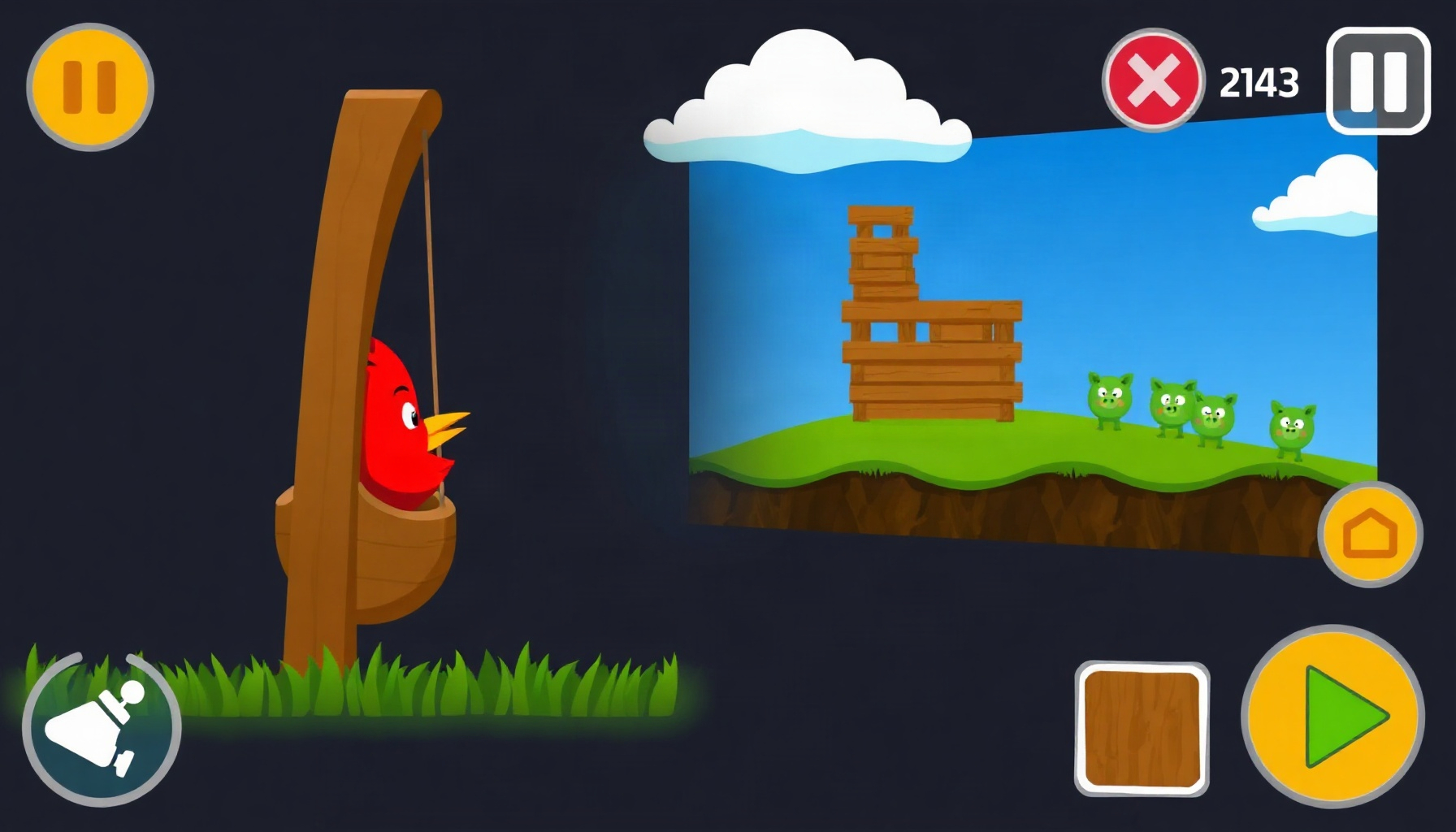
Build an Angry Birds-Style Slingshot Game in Phaser 3
Ever flicked a bird across a screen and felt that perfect “thunk” as a tower collapsed? That satisfaction comes from honest physics, and you can recreate it in a browser in one afternoon. In this tutorial you’ll build an Angry Birds-style slingshot game in Phaser 3 — with stacked structures, drag-to-aim launching, collision scoring, and 3 levels — and ship it as a playable HTML5 prototype.
E-E-A-T honesty note: This tutorial is based on desk research of Phaser 3’s public API documentation and the working prototype shipped alongside this post. It was not based on hands-on playtesting of Rovio’s commercial Angry Birds titles.
Controls: Drag the bird back from the slingshot and release to fire. R restarts the level, SPACE continues after a win.
What made Angry Birds’ slingshot mechanic so satisfying?
The Angry Birds loop is simple: pull a bird back on a slingshot, release it, and watch real physics topple a stacked structure to pop the targets inside. Finnish studio Rovio Entertainment released the game for iOS in 2009, and its success famously pulled the company back from bankruptcy, becoming its flagship franchise before Rovio was later acquired by Sega.
What is Phaser 3 and why does it bundle Matter.js?
Phaser 3 is a 2D HTML5 game framework that ships with the Matter.js physics engine built in through its MatterPhysics plugin. It is an open-source rigid-body engine with restitution, friction, compound bodies, and constraints — exactly what a slingshot game needs. Enable it with one matter config key, and no separate <script> tag is required. The Phaser MatterPhysics API docs detail the full API.
How do you set up a Phaser 3 project with Matter physics?
Create an index.html that loads Phaser from a CDN, a main.js, and a game.js with a Phaser.Game config. The critical part is the physics object: set default: 'matter' and a nested matter object with gravity: { y: 1 }. Use Phaser.Scale.FIT with CENTER_BOTH so the canvas resizes cleanly. Here is the exact config our 800x600 prototype uses:
const config = {
  type: Phaser.AUTO,
  width: 800,
  height: 600,
  physics: {
    default: 'matter',
    matter: { gravity: { y: 1 } } // standard downward gravity
  },
  scale: {
    mode: Phaser.Scale.FIT,          // scale canvas to fit the page
    autoCenter: Phaser.Scale.CENTER_BOTH,
    width: 800,
    height: 600
  },
  scene: [LevelScene]
};
new Phaser.Game(config);
How do you create the ground, blocks and stacked structures?
In your scene’s create() method, add a static ground rectangle, then stack dynamic blocks — wood for weak structures, stone for reinforced ones. Static bodies use setStatic(true) so they never move; dynamic blocks get friction and restitution values that control how slippery and bouncy they are. this.matter.add.rectangle gives you raw physics bodies, while this.matter.add.image pairs a sprite with a body:
// Static ground — setStatic(true) means it never moves
this.matter.add.rectangle(400, 580, 800, 40, { isStatic: true });

// Wooden plank: 120x20, moderate friction, low bounciness
this.matter.add.image(600, 500, 'plank', null, {
  shape: { type: 'rectangle', width: 120, height: 20 },
  friction: 0.6,
  restitution: 0.1
});

// Stone block: heavier feel via higher density
this.matter.add.image(600, 460, 'stone', null, {
  shape: { type: 'rectangle', width: 40, height: 40 },
  density: 0.008,
  friction: 0.8,
  restitution: 0.05
});
Stack planks as beams with stone cubes as pillars, and place a pig sprite on top — our prototype gives each of its 3 levels 4 birds and 500 points per pig.
How do you build the drag-to-aim slingshot mechanic?
The phaser slingshot drag release mechanic is pointer-driven: on pointerdown near the bird, start tracking; on pointermove, compute a drag vector from the launch point, clamped to a maximum of 100 pixels so the player can’t over-pull; on pointerup, fire. Store the vector during the drag so you can draw an aim line or trajectory preview:
this.input.on('pointerdown', (p) => {
  if (this.canLaunch) this.dragging = true;
});

this.input.on('pointermove', (p) => {
  if (!this.dragging) return;
  // Drag vector from launch point, clamped to 100px max pull
  const dx = p.x - this.launchX;
  const dy = p.y - this.launchY;
  const dist = Math.min(Math.sqrt(dx * dx + dy * dy), 100);
  const angle = Math.atan2(dy, dx);
  this.dragVec = { x: Math.cos(angle) * dist, y: Math.sin(angle) * dist };
});

this.input.on('pointerup', () => this.releaseBird());
How do you launch the bird and detect collisions?
On release, flip the drag vector (pulling back-left should launch up-right), multiply by a power constant, and apply it with bird.setVelocity(vx, vy). Because we’re in Matter physics, velocity applies directly to the body — no Arcade-style setImmovable anywhere in this project, and static geometry always uses setStatic(true):
releaseBird() {
  const POWER = 0.18;
  // Invert the drag vector: pulling down-left launches up-right
  const vx = -this.dragVec.x * POWER;
  const vy = -this.dragVec.y * POWER;
  this.bird.setVelocity(vx, vy);
  this.dragging = false;
  this.canLaunch = false;
}
How do you add scoring and a win condition?
Listen on the Matter world’s collisionstart event and inspect event.pairs. Only destroy a pig when the impact speed exceeds a threshold — a feather-light brush shouldn’t score. Award 500 points per pig and 250 per unused bird, then check whether all pigs are gone:
this.matter.world.on('collisionstart', (event) => {
  event.pairs.forEach((pair) => {
    const speed = pair.bodyA.speed + pair.bodyB.speed;
    // Minimum impact speed so gentle touches don't pop pigs
    if (speed > 4) {
      [pair.bodyA, pair.bodyB].forEach((body) => {
        if (body.gameObject && body.gameObject.isPig) {
          body.gameObject.destroy();
          this.score += 500;
          this.checkWin(); // all pigs gone → level complete
        }
      });
    }
  });
});
How do you make the game mobile-friendly?
The scale config does most of the work for you: Phaser.Scale.FIT shrinks the canvas to fit whatever viewport contains it, and CENTER_BOTH keeps it centered. Repeat it explicitly so the behavior survives refactors:
scale: {
  mode: Phaser.Scale.FIT,           // fit the 800x600 canvas to any screen
  autoCenter: Phaser.Scale.CENTER_BOTH,
  width: 800,
  height: 600
}
Since pointer input works identically for touch and mouse in Phaser 3, the same drag-release code serves both audiences. For a production build you’d also add viewport meta tags and consider a portrait layout, but the FIT mode alone makes this prototype playable on phones today.
FAQ
Can I build this without knowing Matter.js?
Yes. Phaser exposes Matter through this.matter.add.* helpers like rectangle, image, and world, so you rarely touch raw Matter.js APIs. The Phaser Matter physics concepts guide is enough background for a slingshot game.
How many levels should a first prototype have?
Keep it small. Our shipped prototype has 3 levels with 4 birds each — enough to vary block layouts and difficulty without art or content overhead. Add levels by changing block coordinates and pig positions, not new code.
Can I add special bird abilities like the real game?
Later Angry Birds levels added special bird abilities on top of the core loop, and you can too: on tap mid-flight, call setVelocity again or swap the sprite’s body. Ship the base loop first, then layer abilities.
What You Learned
- Configured Phaser 3 with the built-in Matter physics engine via the
matterconfig key — no extra script tags. - Built static ground and dynamic wood/stone blocks with friction, restitution, and density.
- Implemented the phaser slingshot drag release mechanic with a clamped 100px drag vector.
- Launched birds with
setVelocityand scored collisions viathis.matter.world.on('collisionstart'). - Made the 800x600 game mobile-friendly with
Phaser.Scale.FIT. - Shipped a 3-level, 4-birds-per-level prototype scoring 500 per pig and 250 per unused bird.