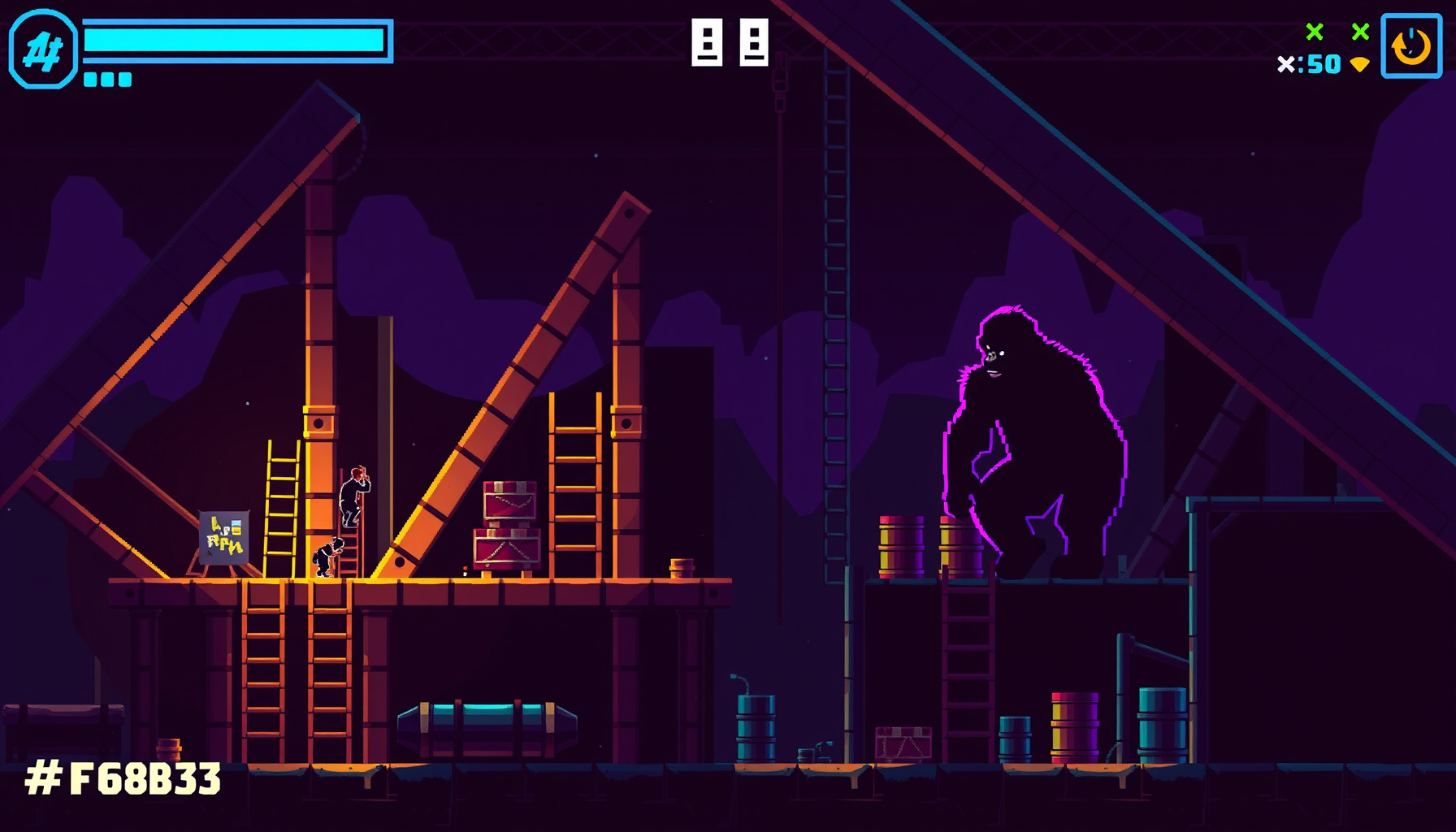
Building a Donkey Kong-Style Barrel Climber in Phaser 3: Sloped Girders, Ladders and Rolling Barrels
Build a barrel climber in one Phaser 3 file: sloped girders, climbable ladders, rolling barrels, jump scoring and touch controls, with no external art assets.
Controls: Arrow keys or WASD to move and climb, Space to jump. On a phone, use the on-screen buttons. To watch the autopilot play, open the game page directly with ?mode=bot on the end of its URL.
Honesty and Sources
This build log is based on Wikipedia and community documentation; we did not play-test the original cabinet. Historical claims below are drawn from the linked Wikipedia article. Phaser implementation details refer to the Phaser docs. The game uses generated abstract shapes, not Nintendo sprites or audio.
A Short History of the Original
Donkey Kong is a 1981 Nintendo arcade platform game and Mario’s first appearance in a video game. Shigeru Miyamoto directed, designed, and created its art as a first-time game designer; Gunpei Yokoi produced and co-designed it, and Yukio Kaneoka composed its music. The code below recreates broad mechanics, not the original presentation.
Nintendo president Hiroshi Yamauchi assigned the project to help salvage unsold Radar Scope cabinets. The game had a limited Japanese release on July 9, 1981, followed by North American release in October and European release in November. Its four single-screen stages represent 25, 50, 75, and 100 metres.
The design began with Popeye-inspired ideas, including Bluto rolling barrels. Miyamoto settled on sloped platforms, barrels, and ladders after see-saw ideas proved too hard to program. The game is often credited with pioneering the platform genre and as the first game to feature jumping. Its home ports sold more than 15 million units, according to Donkey Kong (Wikipedia).
How Our Clone Works: The Architecture
The example uses four Phaser scenes: Boot generates textures, Menu starts play, Game runs movement and scoring, and GameOver offers a restart. A compact state object tracks lives, score, bonus, and the hammer timer. For scene setup and scaling options, see the Phaser docs.
All graphics are generated at runtime with Phaser Graphics. Our girders and character are intentionally abstract: there are no Nintendo sprites, images, or audio.
Sloped Girders: Ground-Following with y = f(x)
Each girder is a line segment, and the player’s ground height is computed as y = f(x) so movement follows a slope without physics-engine ramps. This keeps the support rule visible and easy to adjust: find the player’s current segment, interpolate its height, then place the player’s feet there while grounded.
const girder = { x1: 50, y1: 550, x2: 430, y2: 530 };

function groundY(g, x) {
  const t = Phaser.Math.Clamp((x - g.x1) / (g.x2 - g.x1), 0, 1);
  return Phaser.Math.Linear(g.y1, g.y2, t);
}

if (player.grounded) {
  player.footY = groundY(girder, player.x);
}
In the full example, the level value selects which line segment supports the player. That lets the same interpolation function work for every girder.
Ladders: Suspending Gravity in Climb Zones
A ladder is an overlap zone where gravity is suspended and vertical input moves the player until the next girder is reached. Treating a ladder as a link between two levels avoids making it a complicated physical object; the player stays aligned to its x-coordinate while climbing.
if (!player.onLadder && upPressed && nearLadder(player, ladder)) {
  player.onLadder = true;
  player.gravityEnabled = false;
}

if (player.onLadder) {
  player.footY += verticalInput * climbSpeed * dt;
  player.footY = Phaser.Math.Clamp(player.footY, ladder.topY, ladder.bottomY);
}
When the player reaches either end, the game assigns the connected level and restores normal movement. The sample draws the ladder from generated lines.
Rolling Barrels: Simple AI on the Girders
Barrels roll along a girder, drop at its end, and can randomly descend a ladder instead. A small state machine makes their behavior legible: ROLL, LADDER, or DROP. The original’s later levels included faster and sometimes diagonal barrels; this build uses simple movement that becomes busier as its spawn interval decreases.
if (barrel.state === "ROLL") {
  barrel.x += barrel.direction * barrel.speed * dt;
  barrel.y = groundY(girders[barrel.level], barrel.x);

  if (nearLadderTop(barrel) && Math.random() < ladderChance) {
    barrel.state = "LADDER";
  } else if (atGirderEnd(barrel)) {
    barrel.state = "DROP";
    barrel.level--;
    barrel.vy = 0;
  }
}
In these snippets dt is the frame time in seconds (Phaser passes milliseconds to update, so the game divides by 1000), and level is the index of the girder a body is standing on. Helpers like nearLadder, atGirderEnd and overlaps are shorthand for simple distance checks: the snippets are simplified illustrations of the logic, and the full game file inlines the equivalent checks under different names.
While in LADDER, a barrel moves down to the next girder. In DROP, gravity pulls it to the next lower segment. At the bottom, it leaves play.
Jumping, Scoring, and the Hammer
Jumping over a barrel earns points; the hammer destroys barrels on contact while its timer lasts. Lives provide room to recover from a collision, and reaching Pauline at the top wins. A steadily decreasing bonus counter is added to the score on a win, giving the player a reason to keep climbing.
if (player.jumping && barrelNearPlayer(barrel) &&
    player.footY < barrel.y - 8 && !barrel.scored) {
  barrel.scored = true;
  gameState.score += 100;
}

if (gameState.hasHammer) {
  gameState.hammerTimer -= dt;
  if (overlaps(player, barrel)) {
    barrel.destroy();
    gameState.score += 300;
  }
}
The playable version checks hammer time each update and removes the effect when the timer expires. A collision without the hammer costs a life; reaching Pauline triggers a win and awards the remaining bonus.
Mobile and Desktop Controls
Desktop play uses the arrow keys or WASD, with Space to jump. Touch buttons provide left, right, climb, and jump input on smaller screens. Phaser’s FIT scaling keeps the logical game area proportional, while CENTER_BOTH centers it in the available display; ?mode=bot enables a simple demonstration mode.
const config = {
  width: 480,
  height: 640,
  scale: {
    mode: Phaser.Scale.FIT,
    autoCenter: Phaser.Scale.CENTER_BOTH
  }
};
The buttons and game art are drawn or generated in code, so the file has no external image or audio dependencies.
Code Walkthrough
The full game is one HTML file, the embed above (open /games/donkey-kong-style-phaser.html and view source to read every line). Boot creates generated textures, Menu starts the run, Game connects girders, ladders, barrels, scoring, and input, and GameOver handles a restart. It uses Phaser 3.80.1 from a CDN, a 480-by-640 logical canvas, keyboard and touch controls, and an optional bot mode.
What You Learned
You now have a practical pattern for modeling sloped ground with line segments, treating ladders as climb zones, and giving barrels a small state machine. The same example also connects jumping, timed power-ups, score, lives, a win condition, touch input, and a restart flow in one Phaser file.
- Interpolate a girder’s height from its endpoints.
- Suspend player movement rules while climbing.
- Give hazards clear roll, ladder, and drop states.
- Keep art self-contained with generated textures.
FAQ
These answers focus on the design choices in the example and ways to extend them. The game favors direct, readable rules over a full physics simulation, which makes it easier to change slopes, ladder positions, and barrel behavior as you learn. The same structure can grow into more stages or more detailed motion.
Why use y = f(x) instead of physics ramps?
For a small game with fixed girders, interpolation is an easy way to keep a grounded character aligned with a slope. It avoids setting up ramp colliders and makes the geometry explicit. Use a physics engine when you need more complex collisions, bouncing, or freely moving objects.
How do I make barrels descend ladders more often?
Increase the ladder-choice probability or check more frequently while the barrel is near a ladder top. Keep the choice conditional on the barrel actually reaching a ladder; otherwise, it may appear to turn toward one from across the girder. The sample keeps this decision in the barrel update logic.
Can I add a conveyor-belt stage?
Yes. The original’s second stage used conveyor belts. Add a stage-specific movement effect that applies a horizontal offset to grounded characters and barrels, then change the segment layout or visuals. Keep the existing ladder and barrel states, and test the new interactions in your own build.