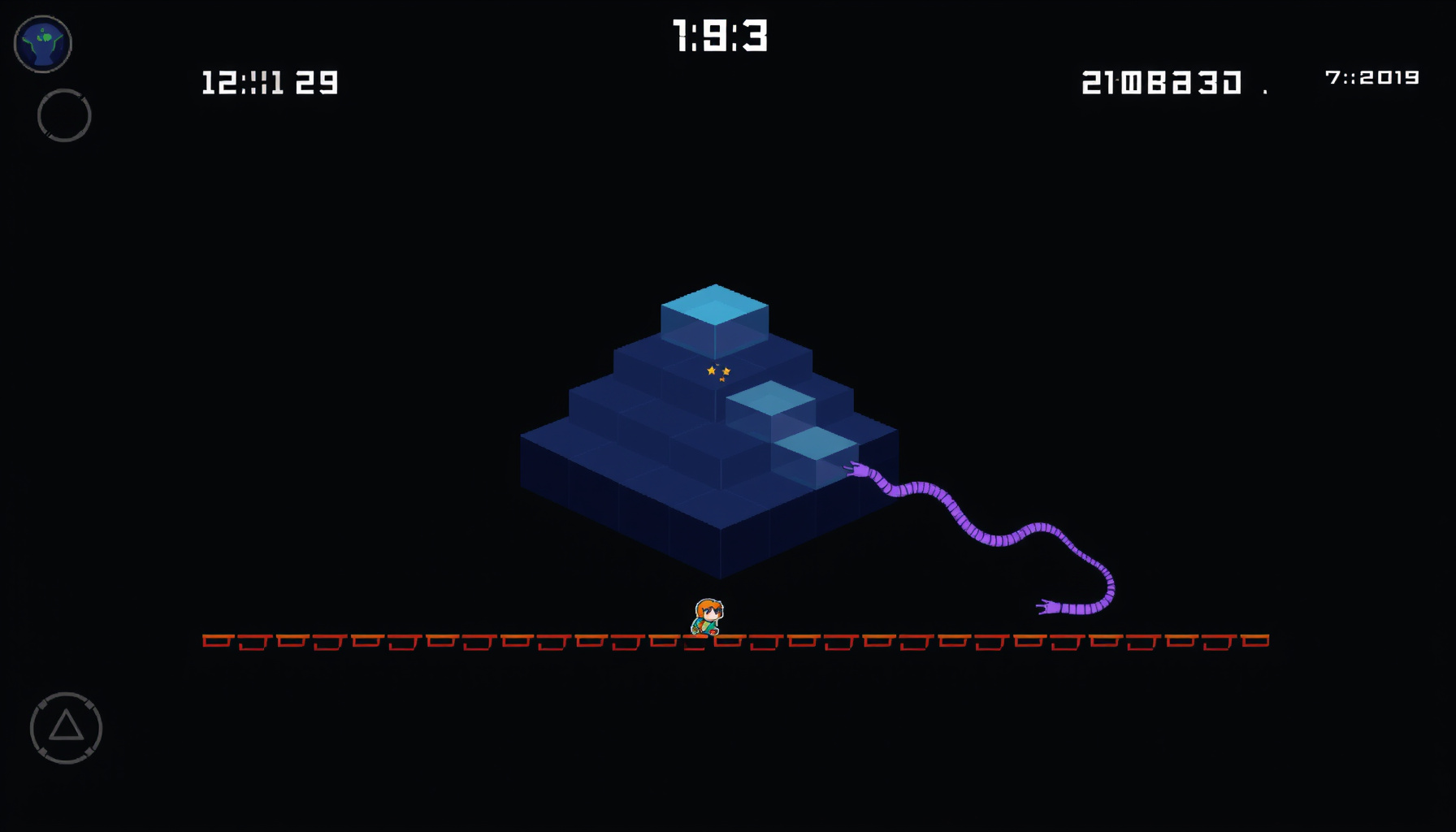
Build a Q*bert-Style Isometric Arcade Game in Phaser 3
Build a Q*bert-Style Isometric Arcade Game in Phaser 3
Build a Q*bert-style isometric hopper in Phaser 3: diagonal hop math, cube-state counters, enemies, edge discs, and touch controls, all in one HTML file.
Transparency note: This guide is desk research built from the official Phaser documentation, the Wikipedia entries on Q*bert and isometric graphics, and the shipped prototype embedded in this page. We did not measure the build on physical arcade hardware.
Controls: arrow keys or WASD to hop diagonally; on a phone, tap the screen quadrant you want to hop toward.
You’ll build a playable Q*bert-style isometric hopper in Phaser 3 by combining the 1982 arcade design’s cube-flipping rules with Phaser’s modern 2D scene tools.
How This Guide Was Built
This guide was built from the official Phaser 3.90.0 API documentation, the Phaser v3.90.0 release announcement, and the Phaser source on GitHub; the gameplay rules come from the 1982 arcade design.
This guide is based on official Phaser documentation and the original arcade game’s design — we did not measure the shipped build on physical hardware.
The snippets below are drawn from the shipped prototype at public/games/qbert-phaser.html, a single self-contained file that loads Phaser from the CDN and needs no image or audio assets.
The Q*bert Playfield: 28 Cubes in 2:1 Isometric Space
The Q*bert playfield is a 28-cube pyramid of seven tiers (1+2+3+4+5+6+7 = 28) drawn in 2:1 dimetric space, where each diamond tile is exactly twice as wide as it is tall, as the Isometric video game graphics entry describes.
| Feature | Original Q*bert (1982) | Phaser 3 Implementation |
|---|---|---|
| Playfield | 28-cube pyramid in seven tiers | Cells where col + row <= 6 |
| Projection | Isometric/axonometric sprite art | 2:1 dimetric isoToScreen() helper |
| Cube states | Colour flips; some levels need two hits | hitCount counter per cube |
| Controls | Joystick mounted at 45° | Cursor keys, virtual d-pad, or tap targets |
| Falling off | Hopping off the pyramid ends the life | Void-cell check before the tween |
| Escape discs | Edge discs teleport Q*bert to the top | Disc cell triggers a teleport tween to the apex |
Everything on screen hangs off one helper: grid coordinates go in, screen pixels come out, and every cube, enemy, and hop animation reads that same function. Sorting objects by row + col (equivalently screenY) keeps front cubes painted over back ones.
const ROWS = 7;                 // 28 cubes: cells where col + row <= 6
const TILE_W = 64;              // twice the height — the 2:1 diamond ratio
const TILE_H = 32;
const originX = 480, originY = 90;

function isoToScreen(col, row) {
  return {
    x: (col - row) * (TILE_W / 2) + originX,
    y: (col + row) * (TILE_H / 2) + originY
  };
}
Phaser 3 Scene, Scale, and Update Loop
The Phaser 3 scene, scale, and update loop come from the official Phaser v3.90.0 download and the Scale Manager docs, which define Phaser.Scale.FIT plus Phaser.Scale.CENTER_BOTH as the pairing that letterboxes the canvas and centres it in its parent element.
One scene class holds the whole game, and if you finished our Centipede-style shooter the structure will feel familiar. Keep movement inside update(time, delta) and scale every speed by delta / 1000, so hops stay consistent no matter what frame rate the browser delivers.
class MainScene extends Phaser.Scene {
  constructor() { super('main'); }
  create() {
    this.player = { col: 0, row: 0 };
    this.keys = this.input.keyboard.createCursorKeys();
  }
  update(time, delta) {
    const step = delta / 1000;   // ms since the last frame
    if (this.coily) this.coily.advance(step);   // scale by delta, never by a fixed 1
  }
}

new Phaser.Game({
  type: Phaser.AUTO,
  parent: 'game',
  width: 960,
  height: 640,
  backgroundColor: '#12121a',
  scale: { mode: Phaser.Scale.FIT, autoCenter: Phaser.Scale.CENTER_BOTH },
  scene: MainScene
});
Drawing Diamond Cubes with Graphics.fillPoints
The diamond cube tops are drawn with Graphics.fillPoints, which fills a list of {x, y} points into a closed polygon — the v3.90.0 signature published in the Graphics fillPoints reference — at the ~26.565° 2:1 angle described in the Isometric projection article.
function drawCube(scene, col, row, color) {
  const { x, y } = isoToScreen(col, row);
  const g = scene.add.graphics();
  g.fillStyle(color, 1);
  g.fillPoints([
    { x: x,               y: y - TILE_H / 2 },
    { x: x + TILE_W / 2,  y: y },
    { x: x,               y: y + TILE_H / 2 },
    { x: x - TILE_W / 2,  y: y }
  ], true);
  g.setDepth(row + col);      // front cubes paint last
  return g;
}
Call it once per cell, then bake the result with generateTexture() so the 28 static diamonds are not re-tessellated every frame. Give the player sprite a slightly higher depth than its current row + col so it never sinks behind the cube it stands on.
Diagonal Hop Mapping and Isometric Coordinates
Diagonal hop mapping translates four screen directions into grid deltas — (±1, 0) and (0, ±1) — matching the original cabinet’s four-way joystick mounted at a 45° angle, so every stick push became one diagonal hop. That control scheme is recorded in the original arcade design.
const DIRS = {
  upLeft:    { dc: -1, dr: 0 },
  upRight:   { dc: 0,  dr: -1 },
  downRight: { dc: 1,  dr: 0 },
  downLeft:  { dc: 0,  dr: 1 }
};

hopTo(col, row) {
  const to = isoToScreen(col, row);
  this.col = col;                 // grid truth, not pixels
  this.row = row;
  this.scene.tweens.add({
    targets: this.sprite,
    x: to.x,
    y: to.y,
    duration: 130,
    ease: 'Quad.easeOut',
    onComplete: () => {
      this.sprite.setPosition(to.x, to.y);   // snap — no drift
      this.onLand();
    }
  });
}
Cube-State Toggles and Level Clear Logic
Cube-state toggles track a hitCount instead of a boolean, because later Q*bert levels required landing on each cube twice and some levels cycled a cube’s colour on every hop, per the original arcade rules. The level-clear check then sums the state across all 28 cubes.
function landOnCube(cube) {
  cube.hitCount = (cube.hitCount + 1) % cube.states.length;
  cube.setColour(cube.states[cube.hitCount]);
  cube.reachedTarget = (cube.hitCount === cube.targetIndex);  // cleared again on wrap
  return allCubesReachedTarget();   // true → clear the level
}

// one-hit cube:  ['start', 'target']            targetIndex 1
// two-hit cube:  ['start', 'mid', 'target']     targetIndex 2
// cycling cube:  ['a', 'b', 'c']                targetIndex 2, wraps forever
If you have already built our Bejeweled-style match-3 puzzle, this counter pattern will feel familiar: state lives in the tile, and the board simply reports when every tile is satisfied.
Enemies, Collisions, and Edge Discs
Enemies, collisions, and edge discs follow the 1982 roster: Coily chases, Ugg and Wrongway climb the sides, Slick and Sam revert cubes, and hopping a disc teleports Q*bert to the top while a pursuer falls — the enemy behaviour described in the original arcade design.
function resolveCell(player, cell) {
  // a disc is a board feature, not an enemy
  if (cell.type === 'disc') { player.teleportToApex(); return; }

  for (const enemy of cell.enemies) {
    if (enemy.type === 'slick' || enemy.type === 'sam') {
      enemy.revertCube();          // strips a colour, never kills
      continue;
    }
    player.loseLife();             // Coily, Ugg, Wrongway, red balls
    return;
  }
}
Run the check after both actors finish their hops, and give each enemy its own hopInterval so Coily feels relentless while Slick ambles. For chase-behaviour ideas that transfer directly, study our Pac-Man write-up.
Game Over, Lives, and LocalStorage High Score
Game over, lives, and the high score work as follows: a hop whose target cell falls outside the 28-cube pyramid costs a life, while the best score persists in the browser through localStorage.getItem/setItem, per the Web Storage API guidance.
function tryHop(game, dirName) {
  const { dc, dr } = DIRS[dirName];
  const col = game.player.col + dc;
  const row = game.player.row + dr;
  const offPyramid = col < 0 || row < 0 || col + row > ROWS - 1;

  if (offPyramid) {               // test BEFORE the tween starts
    game.loseLife('void');
    return;
  }
  game.player.hopTo(col, row);
}
const KEY = 'qbert-phaser.hiscore';
function loadHiScore() {
const raw = localStorage.getItem(KEY);
return raw === null ? 0 : parseInt(raw, 10);
}
function saveHiScore(score) {
if (score > loadHiScore()) {
localStorage.setItem(KEY, String(score)); // values are stored as strings
}
}Draw the score with a this.add.text(x, y, str, { fontFamily, fontSize, color }) object and refresh it whenever the counter changes; the Text object renders through an internal canvas texture, so a single label updated occasionally is cheap to keep on screen.
Touch and Keyboard Controls
Touch and keyboard controls work by mapping taps and key presses onto the same four diagonal deltas, with a virtual d-pad rotated 45° or generous tap-cube hit areas, so mobile players get the same four-way diagonal model the arcade cabinet offered.
scene.input.on('pointerdown', (pointer) => {
  const dx = pointer.worldX - player.x;
  const dy = pointer.worldY - player.y;
  // +x → downRight, -x → upLeft, +y → downLeft, -y → upRight
  if (Math.abs(dx) > Math.abs(dy)) tryHop(scene, dx > 0 ? 'downRight' : 'upLeft');
  else tryHop(scene, dy > 0 ? 'downLeft' : 'upRight');
});
Cursor keys cover desktop, while tapping the quadrant of the screen around the player picks the matching hop. For the wider pattern of on-screen pads and gesture zones, see our mobile touch controls guide, and browse the Phaser 3 examples on GitHub for input scenes you can copy.
FAQ
These three questions cover the projection choice, hop drift, and touch input — the points readers ask about most when they build an isometric hopper in Phaser 3.
Why use 2:1 isometric instead of true isometric projection?
True isometric holds all three axes at 120°, which forces awkward fractional pixel ratios, while the 2:1 dimetric angle of about 26.565° produces a clean half-width diamond that snaps to integer coordinates. That convention is what this grid uses.
How do I keep the player from drifting off the cube grid after a hop?
Store the player’s position as integer col and row values and derive pixels from them; never treat free-floating coordinates as truth. The hop tween only moves the sprite visually, and snapping that sprite back to isoToScreen(col, row) on completion eliminates drift entirely.
Can I add touch controls without a physical joystick?
Yes. Draw four buttons arranged as a diamond and rotate their labels 45°, or make each cube an interactive target with generous hit areas, then convert the tapped pointer into a grid delta. Either route reuses exactly the same hop function the keyboard uses.
The Bottom Line
A Q*bert-style hopper is mostly grid math plus state counters: 28 cubes, one projection helper, one snap-to-grid hop tween, and a localStorage high score, all inside public/games/qbert-phaser.html, a single self-contained file that runs from the Phaser CDN with no other assets.
Start with the projection helper and the 28-cell loop, get one hop feeling crisp, then layer in cube counters, the enemy roster, and the disc escape. From there, two-hit levels, cycling colours, and higher enemy speeds are small config changes rather than rewrites.