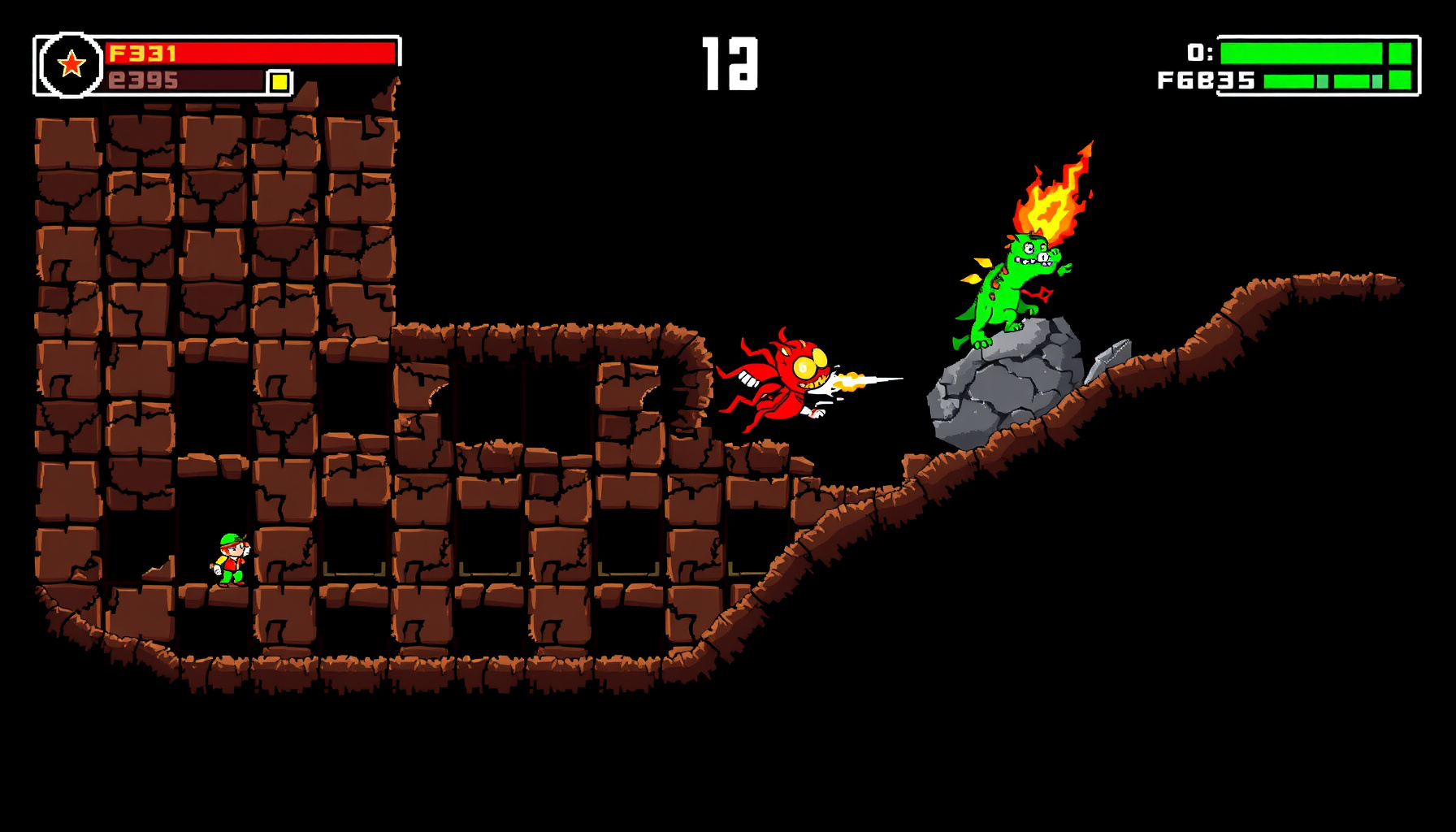
Build a Dig Dug Game in Phaser 3
Build a Dig Dug Game in Phaser 3
Dig Dug turns a simple idea—digging through a maze to reach enemies—into an arcade loop of movement, timing, and risk. This build log follows the mechanics in a playable Phaser prototype and explains how its grid, enemies, rocks, scoring, and interface fit together.
By following this single-file Phaser 3 build log, a beginner can recreate the core loop of Namco’s 1982 arcade classic Dig Dug — digging, inflating enemies, dropping rocks, and collecting bonus fruit — in one self-contained HTML file, learning tile-based grids, arcade scoring, and enemy AI along the way.
How This Guide Was Built
The playable prototype is a single HTML file using Phaser 3.60 from the jsdelivr CDN. Historical details were checked against the cited Wikipedia, StrategyWiki, the Museum of the Game arcade record, and the official Phaser and MDN documentation. This is desk research plus an explanation of the shipped prototype; no hands-on benchmarking or playtest numbers were produced.
What Is Dig Dug? (The 1982 Original, Briefly)
Dig Dug is a 1982 maze arcade game developed and published by Namco in Japan, then released in North America by Atari, Inc.; its documented release dates are February 20 in Japan, April 19 in Europe, and April 1982 in North America, according to Wikipedia’s Dig Dug entry. Namco marketed it as a “strategic digging game.”
Players dig tunnels to confront Pookas, red spherical enemies with goggles, and Fygars, draconic enemies that breathe fire. The player can inflate enemies with an air pump until they pop or crush them beneath falling rocks. A rock falls after the tile directly beneath it is removed; dropping any pair of rocks awards a bonus item, and clearing all enemies advances the stage. StrategyWiki’s Dig Dug guide documents commonly cited arcade scoring: about 10 points for digging, 200–1,000 for inflating an enemy depending on depth, and 1,000 for a rock kill, with higher totals for multi-kills.
The original ran on the Namco Galaga arcade system board. It was the second highest-grossing arcade game of 1982 in Japan, and its sequels and spin-offs include the Mr. Driller series. These historical details give us the ingredients for a compact rebuild—not a claim that every tuning value in our prototype matches the arcade.
What You’ll Build: Scope and Demo
This build is a single-screen, 15-by-14 tile game with digging, two enemy types, an air-pump attack, falling rocks, bonus fruit, lives, and a score HUD; the Phaser 3.60 release page identifies the framework version used. Its chosen dimensions and scoring values are rebuild constants, not claims about the original machine.
The complete playable file is public/games/dig-dug-style-phaser.html. It draws procedural textures rather than loading a set of external sprite assets, supports keyboard and touch controls, and saves a high score in the browser. Press R to restart. To see the scripted autopilot, open the file with ?mode=bot in the URL.
| Mechanic | 1982 Arcade (Namco) | Our Phaser 3 Build | Notes / Simplifications | Where in the Tutorial |
|---|---|---|---|---|
| Digging | Digging a dirt tile is commonly cited at about 10 points | DIRT becomes TUNNEL; 10 points per tile | The 10-point value is a rebuild constant matching the commonly cited value | Tile Grid |
| Air-pump pop | Inflate enemies until they explode | Four presses to pop a latched enemy | Releasing or moving lets the enemy deflate, stunned | Player and Air Pump |
| Rock crush / multi-kill | A falling rock can crush enemies; multi-kills score more | 1,000 / 2,500 / 4,000 for one / two / three-plus enemies | Rebuild values follow the commonly cited arcade rock scores | Rocks and Bonus Fruit |
| Bonus fruit | Any pair of rocks dropped in a stage yields a bonus item | Fruit value is 400 / 600 / 1,000 by depth band | These fruit values are chosen for this rebuild | Rocks and Bonus Fruit |
| Enemy types | Pookas and Fygars; Fygars breathe fire | Pookas tunnel; Fygars move and breathe horizontally | Lightweight behaviors keep the prototype readable | Enemies |
| Lives / stage progression | Clear all enemies to advance | Three lives; stage advances after clearing enemies | A compact single-screen implementation | HUD and Restart |
| Scoring / high-score persistence | Arcade scoring varies by action and depth | Score HUD and localStorage high score |
Browser persistence is a rebuild feature | HUD and Restart |
Tools and Setup: One File, One CDN Script
The game uses one HTML file and loads Phaser 3.60 from jsdelivr, while Phaser’s scale manager fits the 480-by-488 game canvas into the page container; see the scale manager documentation. This keeps the setup easy to inspect: the page hosts the canvas, and the JavaScript creates the scene, input, and game objects.
The canvas has a 480-by-448 playfield and a 40-pixel HUD strip below it. Phaser.Scale.FIT scales the game to fit #game, while CENTER_BOTH centers it. The full game file includes the opening HTML tag, a container with the ID game, and the Phaser script URL listed below.
const config = {
  type: Phaser.AUTO,
  width: 480,
  height: 488,
  parent: "game",
  backgroundColor: "#17131f",
  scale: {
    mode: Phaser.Scale.FIT,
    autoCenter: Phaser.Scale.CENTER_BOTH
  },
  scene: [DigDugScene]
};

new Phaser.Game(config);
The Phaser project on GitHub and jsdelivr’s Phaser package page are useful references if you want to check the dependency or explore the framework. For a broader introduction to browser game development, see MDN’s Games documentation.
The Tile Grid and Dirt Digging
The playfield is a 15-column by 14-row grid with 32-pixel tiles, giving it a 480-by-448-pixel area; a Phaser graphics object can draw the procedural tile textures, as described in the Graphics API documentation. The grid stores TUNNEL, DIRT, or ROCK, so movement and digging can use the same tile coordinates.
Keep the grid separate from its visual representation. tileAt converts a row and column into a pixel position, while the player’s destination is checked against the grid before movement completes. Entering DIRT changes it to TUNNEL and awards 10 points, a rebuild constant.
const COLS = 15;
const ROWS = 14;
const TILE = 32;

const TUNNEL = 0;
const DIRT = 1;
const ROCK = 2;

const grid = Array.from({ length: ROWS }, (_, row) =>
  Array.from({ length: COLS }, (_, col) =>
    row === 0 || col === 0 || row === ROWS - 1 || col === COLS - 1
      ? TUNNEL
      : DIRT
  )
);

function tileAt(col, row) {
  return { x: col * TILE, y: row * TILE };
}

function digAt(col, row) {
  if (grid[row]?.[col] !== DIRT) return false;

  grid[row][col] = TUNNEL;
  drawTile(col, row, TUNNEL);
  score += 10; // Chosen for this rebuild.
  return true;
}
This compact example supplies the grid and the digging operation; the finished scene also places the rocks and open paths needed for play. For a related example of designing movement around cells, see our Bomberman-style grid build log.
The Player and the Air Pump (4-Step Pop)
The air pump is a directional attack: Space sends it one tile forward, and a latched enemy advances through four inflation presses before popping; the original game’s pump-and-pop mechanic is described in Wikipedia’s Dig Dug entry. In this rebuild, a roughly 1.5-second pause or player movement releases the enemy, which deflates and remains stunned.
A small state object keeps the interaction legible: which enemy is latched, how many presses have landed, and when the latch should expire. The real game also animates the pump and enemy; Phaser tweens can handle those visual transitions without changing the attack rules.
const pump = {
  target: null,
  presses: 0,
  timeout: null
};

function firePump() {
  if (pump.target) {
    inflateLatchedEnemy();
    return;
  }

  const target = enemyOneTileAhead(player.col, player.row, player.facing);
  if (!target || target.stunned) return;

  pump.target = target;
  pump.presses = 1;
  target.inflation = pump.presses;
  refreshPumpTimeout();
}

function inflateLatchedEnemy() {
  pump.presses += 1;
  pump.target.inflation = pump.presses;
  refreshPumpTimeout();

  if (pump.presses >= 4) popEnemy(pump.target);
}

function refreshPumpTimeout() {
  clearTimeout(pump.timeout);
  pump.timeout = setTimeout(releasePump, 1500);
}

function releasePump() {
  if (pump.target) {
    pump.target.inflation = 0;
    pump.target.stunned = true;
  }
  pump.target = null;
  pump.presses = 0;
}
Call releasePump when the player moves, too, so the attack cannot stay latched while the player walks away. Input uses the keyboard, with touch controls available on mobile; browser key events are covered in MDN’s KeyboardEvent documentation.
Enemies: Pookas and Fygars
The two enemy types make distinct threats: Pookas are red, goggled wanderers that tunnel through dirt, while green Fygars move and breathe fire horizontally; these enemy traits are described in Wikipedia’s Dig Dug entry. In the rebuild, both use tile-aware movement, but only the Fygar adds a ranged attack that the player must avoid.
Keep shared properties—position, movement, inflation, and stun state—in each enemy object. Branch on type only where behavior differs. This makes enemy movement readable and leaves room to add more deliberate pursuit later. For a deeper pathfinding exercise, continue with adding A* pathfinding to enemy AI in Phaser.
function updateEnemy(enemy) {
  if (enemy.stunned || enemy.inflation > 0) return;

  if (enemy.type === "fygar" && canBreatheFire(enemy, player)) {
    breatheFireHorizontally(enemy);
    return;
  }

  const step = chooseEnemyStep(enemy);
  if (!step) return;

  const next = { col: enemy.col + step.x, row: enemy.row + step.y };

  if (grid[next.row]?.[next.col] === DIRT) {
    grid[next.row][next.col] = TUNNEL;
    drawTile(next.col, next.row, TUNNEL);
  }

  moveEnemyTo(enemy, next.col, next.row);
}
The movement chooser can pick among legal neighboring cells for a wandering enemy. Fire stays a separate action, which makes the Fygar’s horizontal attack easier to recognize and tune without changing the Pooka’s basic movement.
Falling Rocks, Multi-Kills, and Bonus Fruit
Rocks become dangerous after the tile beneath them is removed: they wobble, fall, and crush enemies in their path, matching the original rule described by StrategyWiki’s Dig Dug guide. This rebuild uses three rock tiles, awards 1,000, 2,500, or 4,000 points for a crush, and spawns bonus fruit after two rocks drop in a stage.
Treat falling as a state transition rather than a repeated check: mark the rock as falling, inspect the cells below it, then move it down until blocked. The points are chosen for this rebuild and reflect the commonly cited arcade values. A dropped-rock counter triggers fruit, whose rebuild values vary by depth band.
function dropRock(rock) {
  if (rock.falling || grid[rock.row + 1]?.[rock.col] !== TUNNEL) return;

  rock.falling = true;
  rock.wobbling = false;

  while (grid[rock.row + 1]?.[rock.col] === TUNNEL) {
    rock.row += 1;
    const crushed = enemiesAt(rock.col, rock.row);

    if (crushed.length) {
      const points =
        crushed.length === 1 ? 1000 :
        crushed.length === 2 ? 2500 : 4000; // Chosen for this rebuild.
      score += points;
      crushed.forEach(removeEnemy);
    }
  }

  rock.falling = false;
  rocksDroppedThisStage += 1;

  if (rocksDroppedThisStage === 2) spawnBonusFruit();
}
In the finished game, a wobble precedes the drop and the rock’s visual position animates with the grid update. For fruit, use the same top, middle, and bottom depth bands as the pop score; the chosen values are 400, 600, and 1,000.
HUD, Lives, High Score, and Restart
The HUD displays score, three lives, stage, and high score, while the browser stores the best score under dig-dug-hs; MDN explains the persistence interface in its localStorage documentation. This rebuild advances the stage after all enemies are cleared and binds R to restart, keeping the interface and core progression visible on one screen.
A saved value is text, so convert it to a number before comparing it with the current score. Update storage whenever the score beats the saved record. The original arcade’s scoring differs by action and depth; local browser persistence is a feature of this rebuild, not a claim about the arcade machine.
const HIGH_SCORE_KEY = "dig-dug-hs";
let highScore = Number(localStorage.getItem(HIGH_SCORE_KEY) || 0);

function saveHighScore() {
  if (score > highScore) {
    highScore = score;
    localStorage.setItem(HIGH_SCORE_KEY, String(highScore));
  }
  drawHud({ score, lives, stage, highScore });
}

function restartGame() {
  scene.scene.restart();
}

keyboard.on("keydown-R", restartGame);
The browser’s localStorage API keeps this example backend-free. For a fuller look at saving and restoring a game’s state, see saving game state with localStorage in Phaser.
Bot Mode via ?mode=bot
The ?mode=bot URL parameter switches the prototype into a scripted autopilot that clears at least its first stage; the browser’s URLSearchParams API provides a direct way to read that setting. Bot mode is a predictable demonstration path, not a claim that the game has adaptive or learning enemy AI.
Read the query parameter once during scene setup, then choose either bot actions or ordinary player input in the update loop. The shipped script follows a fixed sequence of movement and attacks, making it useful for showing the mechanics without requiring keyboard input.
const params = new URLSearchParams(window.location.search);
const botMode = params.get("mode") === "bot";

function update(time, delta) {
  if (botMode) {
    runBotStep(time, delta);
    return;
  }

  readPlayerInput();
}

function runBotStep(time, delta) {
  if (time < bot.nextActionAt) return;

  const action = bot.script[bot.index];
  if (!action) return;

  performAction(action);
  bot.index += 1;
  bot.nextActionAt = time + action.wait;
}
The real bot script is tailored to the game’s level layout and advances through scheduled actions; the short example shows where that logic belongs. You can also explore our Q*bert in Phaser build log for another grid-based arcade project.
Wrap-Up and What to Build Next
This build combines a tile grid, simple enemy state, a press-driven attack, falling-rock checks, and browser storage into one HTML game; the Canvas API overview from MDN provides useful background on browser drawing. Its scope is intentionally small enough to follow, while still representing the main Dig Dug-style loop.
The key design choice is to let the grid carry the gameplay state: digging opens paths, openings enable rock falls, and the same tile coordinates guide movement and attacks. From there, each mechanic can be tested and extended independently. Try alternate enemy movement, add level layouts, or refine the touch controls with adding mobile touch controls in Phaser.
FAQ
How many points is digging worth?
In this Phaser rebuild, digging a DIRT tile earns 10 points, a chosen constant that matches the commonly cited arcade dig value. Arcade scoring sources can distinguish arcade play from home ports, so treat the value here as a documented comparison, not a guarantee for every version of Dig Dug.
Why does the Fygar score range from 200 to 1000?
The 200–1,000 range refers to commonly cited arcade points for inflating an enemy, with the reward depending on depth layer. This rebuild uses 200, 300, and 500 for its top, middle, and bottom bands; those are chosen rebuild constants, not exact arcade values.
How do I save the high score without a backend?
Use browser localStorage: read the dig-dug-hs key when the scene starts, compare it with the current score, and write a new record when the score is higher. This works without a server, but it stores data in that browser rather than synchronizing scores across devices.
What’s the difference between Pookas and Fygars in code?
Give both enemy objects shared movement and state fields, then branch on their type for distinct behavior. In this build, Pookas wander and tunnel through dirt; Fygars can also breathe fire horizontally. Keeping that attack separate makes it easier to adjust without rewriting shared movement.
How do I test my game automatically?
Open the game with ?mode=bot to run its scripted autopilot, which clears at least the first stage. This is a repeatable demonstration path, not a benchmark or a substitute for checking keyboard and touch controls yourself. Press R to restart the game when needed.
Key Takeaways
- A small tile grid can represent tunnels, dirt, and rocks while driving movement and gameplay.
- The air-pump state machine makes enemy inflation and release explicit.
- Falling rocks link digging to risk, multi-kills, and bonus fruit.
- The prototype’s scoring and tuning values are rebuild choices; its high score uses browser storage.
The Bottom Line
The thesis is proven by the working, single-file prototype: the core loop of digging, inflating enemies, dropping rocks, and collecting bonus fruit is explained through approachable Phaser 3 building blocks. A beginner with basic HTML and JavaScript familiarity should attempt the build, then change one mechanic at a time to learn how the pieces interact.